When a Short Link Never Reaches the Click
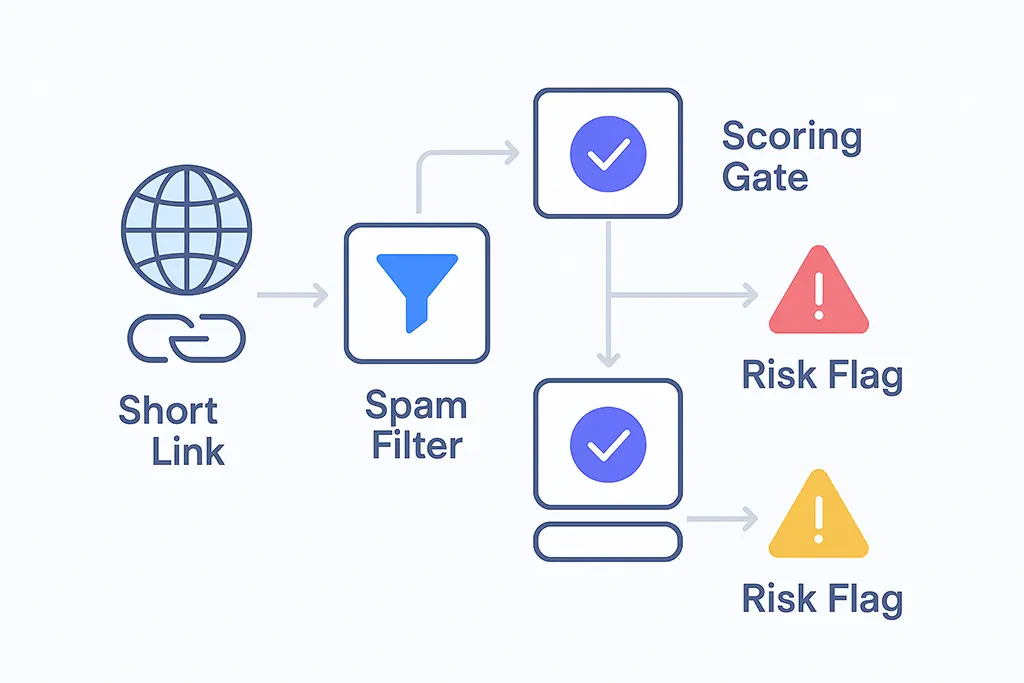
Short links are supposed to make sharing frictionless. Fewer characters, cleaner message bodies, easier to paste into an SMS or tweet. But there's a failure mode that nobody talks about in campaign postmortems: the link never even reached a human. It was quietly dropped, rewritten, or flagged by a spam filter before anyone had a chance to click it.
I've seen this firsthand while building vvd.im. Early test campaigns using the service's own domain showed erratic deliverability depending on the email provider. Same link, same content, same sending reputation — but Gmail would pass it through while some corporate mail gateways stripped the URL entirely. That inconsistency forced me to understand how spam filters actually evaluate URLs at a technical level, not just at the "domain reputation" hand-wave level.
This article is what I learned. If you're running a short URL service, managing email campaigns, or building infrastructure that generates trackable links, this is the model you need to internalize.
How Spam Filters Actually Judge a URL
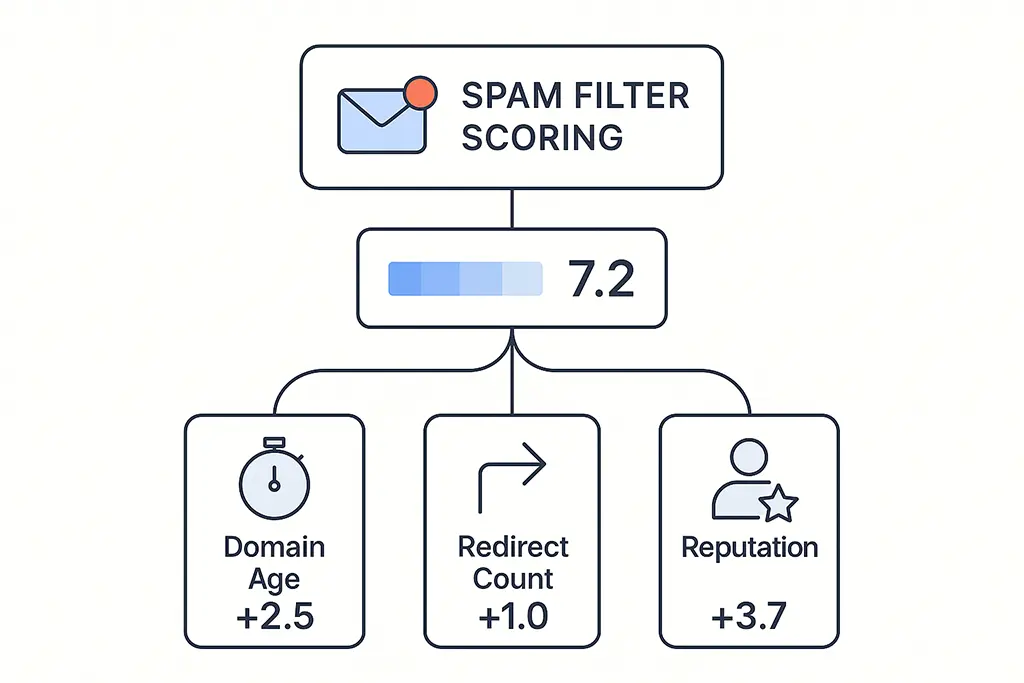
Modern spam filters don't make binary "safe/unsafe" decisions based on a single feature. They run probabilistic models that combine dozens of signals, each weighted differently depending on the delivery channel. A URL that passes a web browser's Safe Browsing check can still get flagged by an email gateway because the evaluation context is different.
At the URL evaluation layer, filters are essentially asking three questions in sequence:
Who owns this domain, and what has it done historically?
Where does this redirect chain actually end?
Does the destination match what the surrounding message implies?
A short URL is problematic on all three counts. The domain is often shared infrastructure with an opaque ownership history. The redirect destination is not visible without following the chain. And because short URLs strip path context, there's no structural hint about what the content will be. Filters aren't hostile to short links — they're responding rationally to information deficit.
Domain Reputation: The Foundational Signal
Every domain accumulates a reputation score across multiple sources: Google Safe Browsing, Spamhaus DBL, SURBL, PhishTank, and provider-specific models maintained by Google, Microsoft, and major ESPs. These databases are queried in real time during message delivery, and a single hit on any of them can push a link into the blocked or quarantine bucket.
The shared-infrastructure problem compounds this significantly. On a public short URL service, your links share a domain with every other user of the platform. If one campaign from that same domain runs a spam operation — even briefly — the domain's reputation score drops for everyone. Filters don't segment by account; they evaluate the domain as a unit.
This is the core reason why two structurally identical links — generic-shortener.com/abc123 versus
go.yourcompany.com/abc123 — can have meaningfully different deliverability outcomes. The filter isn't seeing
your campaign. It's seeing the reputation history of the domain, which on a shared platform includes everyone else's campaigns too.
How Redirect Chain Analysis Works
When a filter encounters a short URL in a message, it typically follows the redirect chain at scan time — not at click time. This means the filter makes an HTTP request to the short URL, follows redirects, and evaluates the final destination before deciding whether to deliver the message.
This has several practical implications. First, if your redirect service is slow to respond, some filters will time out and treat the link as unresolvable, which often results in blocking. Second, if the destination at scan time differs from the destination at click time (because you're doing time-based or geo-based routing), the filter's scan result may not reflect what the user actually sees — which can create false positives in either direction.
Third, redirect chain depth matters. Each hop adds latency to the filter's scan and introduces an additional domain to evaluate. A three-hop chain means three separate domain reputation lookups. If any intermediate domain has a questionable history, the chain fails even if the origin and destination are both clean.
From the infrastructure side, here's how redirect resolution looks in a Spring Boot service when you need to give filters a clean, inspectable chain:
@GetMapping("/{slug}")
public ResponseEntity<Void> redirect(
        @PathVariable String slug,
        @RequestHeader(value = "User-Agent", defaultValue = "") String userAgent,
        HttpServletRequest request) {

    // Identify known scanner user agents and serve a consistent destination
    boolean isScanner = isScannerAgent(userAgent);

    Optional<ShortLink> link = linkService.resolve(slug);
    if (link.isEmpty()) {
        return ResponseEntity.notFound().build();
    }

    String target = isScanner
        ? link.get().getCanonicalUrl()   // stable URL for scanner inspection
        : link.get().getTargetUrl();     // potentially geo/time routed for real users

    return ResponseEntity
        .status(HttpStatus.MOVED_PERMANENTLY)
        .header(HttpHeaders.LOCATION, target)
        .header("Cache-Control", "no-store")
        .build();
}
The scanner detection logic uses User-Agent matching against known crawler signatures (Googlebot, MicrosoftPreview, SafeBrowsing, and others). This isn't about deceiving filters — it's about serving them the same URL a human would see in the default case, rather than a geo-routed variant that differs from what the filter already approved.
Why Short Links Get Harsher Treatment Than Long URLs
There's a common misconception that filters penalize short URLs because of length. The actual issue is opacity.
A long descriptive URL like https://example.com/blog/spring-sale-2025 gives a filter structural context:
the domain, the content type hint from the path, and the topical signal from the slug. A short URL provides none of that.
Short links aren't blocked because they're short. They're blocked because they're opaque — and opacity looks like obfuscation to an automated risk model.
Email environments apply the harshest treatment. The economics of email abuse are such that a single malicious link delivered to thousands of inboxes creates significant downstream harm. So email gateways are calibrated conservatively. A link that would pass a browser-level Safe Browsing check without comment can still fail an email gateway scan because the threshold for acceptable risk is lower.
This is also why testing a link in a browser before sending an email campaign gives you almost no useful signal about deliverability. The evaluation context is completely different.
Common Reasons Legitimate Short Links Get Blocked
Shared Infrastructure Reputation Bleed
Already covered above, but worth reiterating with a concrete example. In 2023, a major generic short URL service saw its domain added to Spamhaus DBL for roughly 72 hours due to a wave of phishing campaigns that used its infrastructure. During that window, every legitimate link on that domain experienced deliverability failures — regardless of how clean the individual campaigns were. Reputation at the domain level is not granular enough to protect well-behaved users on shared infrastructure.
Inconsistent Redirect Destinations Over Time
Filters don't just evaluate links in real time — they build longitudinal models. If a given short URL slug has historically resolved to a safe destination but then changes to point somewhere unexpected, that change registers as an anomaly. Legitimate reasons for this exist (campaign updates, seasonal redirects, A/B test rotation), but the filter has no way to distinguish intentional updates from link hijacking attempts.
The mitigation is to treat reused slugs as permanent and create new slugs for new destinations, rather than updating the target of an existing live link. This preserves the historical trust signal associated with each slug.
SSL/TLS Configuration Issues
Modern filters expect clean, uninterrupted HTTPS chains. Issues that will reliably lower trust scores include: expired intermediate certificates, HTTP-only redirect hops within an otherwise HTTPS chain, TLS handshake failures due to misconfigured cipher suites, and HSTS violations on domains that have previously declared HSTS headers.
For a redirect service on Nginx 1.28, the minimum TLS configuration that satisfies current filter expectations looks like this:
server {
    listen 443 ssl;
    server_name go.example.com;

    ssl_certificate     /etc/letsencrypt/live/go.example.com/fullchain.pem;
    ssl_certificate_key /etc/letsencrypt/live/go.example.com/privkey.pem;

    ssl_protocols TLSv1.2 TLSv1.3;
    ssl_ciphers ECDHE-ECDSA-AES128-GCM-SHA256:ECDHE-RSA-AES128-GCM-SHA256:ECDHE-ECDSA-AES256-GCM-SHA384:ECDHE-RSA-AES256-GCM-SHA384;
    ssl_prefer_server_ciphers off;

    # HSTS — once set, commit to it
    add_header Strict-Transport-Security "max-age=31536000; includeSubDomains" always;

    # OCSP stapling reduces per-connection latency
    ssl_stapling on;
    ssl_stapling_verify on;
    resolver 8.8.8.8 8.8.4.4 valid=300s;

    location / {
        proxy_pass http://127.0.0.1:8080;
        proxy_set_header Host $host;
        proxy_set_header X-Forwarded-For $proxy_add_x_forwarded_for;
        proxy_set_header X-Real-IP $remote_addr;
        proxy_buffering off;
        proxy_read_timeout 3s;
    }
}

# Force HTTP → HTTPS, no exceptions
server {
    listen 80;
    server_name go.example.com;
    return 301 https://$host$request_uri;
}
The HSTS header is worth calling out specifically: once you add it, you've committed to HTTPS-only for the declared max-age. If you later need to serve HTTP for any reason, the browser will refuse and users will see errors. Set it only when you're confident the domain will remain HTTPS-only.
Mismatch Between Message Context and Landing Page
Content coherence analysis is increasingly part of spam scoring. A filter processing an email about a software webinar that contains a short link resolving to a cryptocurrency exchange landing page will flag that mismatch — even if both the email content and the landing page are independently benign. The disconnect itself is a risk signal.
This applies to UTM parameters too. If you're running a campaign tagged as an email campaign (utm_medium=email)
but the destination page serves content that looks like a social media landing page, some filters with deep inspection
capabilities will register the inconsistency.
Why Branded Short Domains Structurally Improve Deliverability
A branded short domain solves the shared infrastructure problem by giving you exclusive ownership of your reputation. You control every link that goes out under that domain. Abusive use by third parties isn't possible because there are no third parties — it's your infrastructure.
This means reputation is additive in both directions. Clean campaigns strengthen the domain's reputation over time, which makes future campaigns more likely to pass filters without manual review. And when something goes wrong — a destination page gets compromised, a campaign misfires — you can trace it and address it without being caught in collateral damage from someone else's mistakes.
Trust is cumulative. Every clean campaign strengthens future deliverability — but only if you own the domain that reputation is accruing to.
The setup for a branded short domain on vvd.im involves pointing a CNAME from your subdomain to the vvd.im
edge infrastructure, then configuring the application to route based on the incoming Host header.
This means links like go.yourcompany.com/spring-sale use your reputation while leveraging
shared redirect and analytics infrastructure. The separation is clean at both the DNS level and the application layer.
Designing Short Links That Pass Filter Scrutiny
Minimize Redirect Depth
Every intermediate hop is a risk surface and a latency addition. For email campaigns specifically, the target should be a single redirect: short URL → final destination. If you're also running analytics through a third-party platform that adds its own redirect layer, consolidate that logic server-side so it's invisible to the filter.
On the vvd.im stack, analytics event firing happens asynchronously after the 301 response is sent, using a background thread pool. The redirect itself completes without waiting for analytics writes:
@Async
public void recordClickAsync(String slug, String ip, String userAgent) {
    try {
        ClickEvent event = ClickEvent.builder()
            .slug(slug)
            .ip(ip)
            .userAgent(userAgent)
            .timestamp(Instant.now())
            .build();
        clickEventRepository.save(event);
        analyticsCache.increment(slug);
    } catch (Exception e) {
        log.warn("Click recording failed for slug {}: {}", slug, e.getMessage());
    }
}
This keeps redirect latency in the 3-8ms range (Redis cache hit) without sacrificing click attribution. The async write completes in the background within 20-50ms, which is well within acceptable event tracking tolerances.
Treat Slugs as Permanent Identifiers
Do not reuse a slug by updating its destination. Create a new slug for each distinct destination. This preserves the longitudinal trust signal for the original slug and gives you a clean reputation baseline for the new one. The operational cost is minimal; the deliverability benefit is real.
Keep UTM Naming Consistent and Auditable
Consistent UTM structure serves two purposes: it makes your analytics coherent across campaigns, and it creates
predictable URL patterns that filters can recognize as legitimate campaign infrastructure over time.
A convention like utm_source=email&utm_medium=campaign&utm_campaign={year}-{quarter}-{name}
applied uniformly across all sends creates a recognizable pattern at the parameter level.
Practical Checklist Before Sending
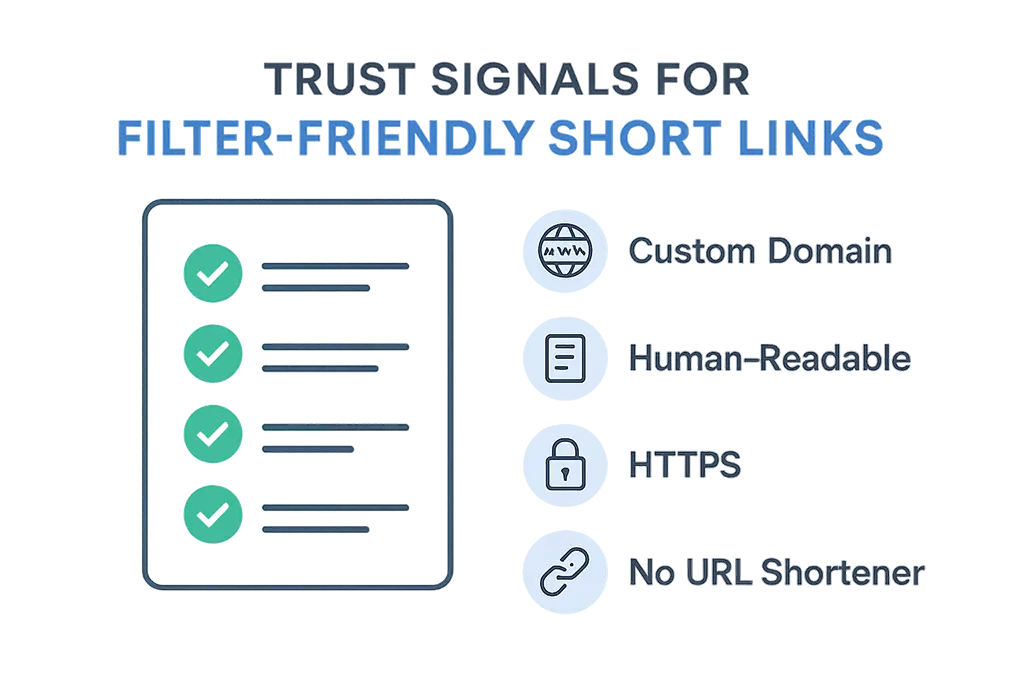
- Use a branded short domain with a stable, clean reputation history — not a shared public shortener
- Keep the redirect chain to a single hop; consolidate any analytics redirect logic server-side
- Verify HTTPS is enforced end-to-end with no HTTP hops in the chain
- Confirm SSL certificates are valid and OCSP stapling is working on the short domain
- Ensure the landing page content is topically consistent with the surrounding message copy
- Use consistent UTM naming so filter reputation models see predictable parameter patterns
- Test the link by sending through the actual delivery channel to a real inbox of the same provider type
Diagnosing a Blocked Link
When a link is getting blocked, the diagnostic sequence matters. Start at the domain level, then work inward:
- Check the short domain against Google Safe Browsing, Spamhaus DBL, and SURBL. If there's a hit at this layer, no amount of link-level optimization will help until the domain is delisted.
- Follow the redirect chain manually using
curl -I -Land verify that each hop returns the expected status code, uses HTTPS, and has a valid certificate. A single HTTP hop in the middle of an otherwise HTTPS chain is enough to trigger some filters. - Inspect the landing page for content signals that might conflict with the message context. Run it through a spam content analyzer if available.
- Send a test message through the exact same delivery path (same ESP, same sending domain, same recipient provider) and examine the message headers for X-Spam-Status or Authentication-Results fields that indicate where scoring occurred.
The Operational Cost of Blocked Links
When a link is blocked, users don't report it. They don't click, they don't reply, they don't complain. The campaign metric that surfaces is silence: lower-than-expected click rate, no conversion, nothing actionable in the data. From the analytics side, it looks like the message simply didn't resonate — when in reality the link never had a chance.
This silent failure mode is why deliverability monitoring needs to be part of any serious link-in-email strategy, not a reactive afterthought. If you're not actively testing links through representative inboxes before campaigns go out, you're flying blind on a dimension that can entirely negate the effort spent on message design and audience targeting.
Trust Is Designed, Not Granted
Short links don't fail randomly. They fail when the signals they emit — domain reputation, redirect structure, SSL configuration, content coherence — conflict with how filters model risk. Understanding those signals gives you the ability to design links that pass scrutiny not by tricking filters, but by genuinely meeting their criteria.
The redirect infrastructure itself is part of the trust story. Consistent behavior, clean chains, and fast resolution all contribute to a pattern that filters learn to recognize as safe over time. That pattern is an asset — one that compounds with every clean campaign you send.
A short link that earns trust is invisible. It redirects cleanly, delivers the expected content, and leaves no trace of doubt in the filter's model. That invisibility is the goal — and it's the result of deliberate infrastructure design, not luck.