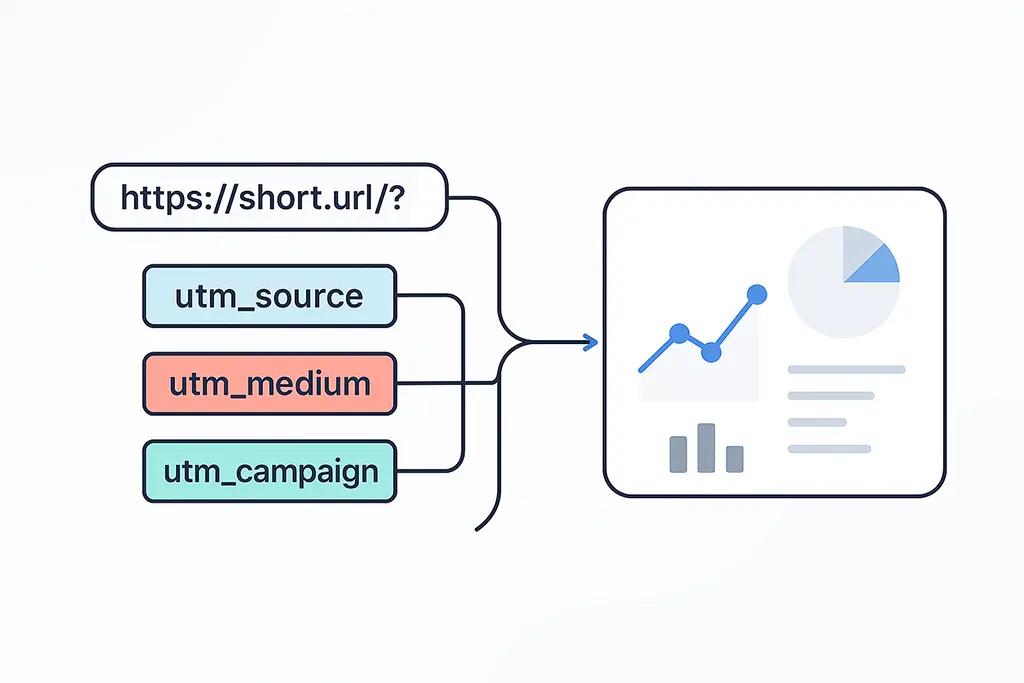
UTM parameters are nine characters of query string that quietly determine whether your analytics data is trustworthy or theater. I have spent enough time staring at GA4 dashboards where Direct traffic inexplicably spikes — not because users typed URLs directly, but because something in the attribution chain broke silently. That experience changed how I think about UTM design entirely.
This is not a glossary of utm_source and utm_medium. You can find that anywhere.
What I want to walk through is how UTM parameters actually behave in production:
where they survive, where they quietly disappear, and how to build a tagging strategy that holds up when
real users click through real environments — not the idealized demo flows in vendor documentation.
What UTM Parameters Actually Do (And Why They Exist)
Google introduced UTM parameters as a practical answer to a simple measurement gap: HTTP referrer headers alone cannot distinguish between a paid newsletter placement and an organic mention in the same publication. UTM parameters solve this by embedding intent directly in the URL — making attribution a read operation rather than an inference problem.
The elegant part is also the fragile part. Because UTM data lives in the URL itself, it is subject to everything that can happen to a URL: redirects, URL rewriting, app containers, browser sanitization, and user behavior like bookmarking or copy-pasting. Every hop between the original click and the final pageview is an opportunity for that data to degrade.
Treat UTMs as permanent identifiers and they will disappoint you. Treat them as contextual hints that survive when conditions cooperate, and you will build systems that are honest about their own limitations.
The Core UTM Parameters: Source, Medium, and Campaign
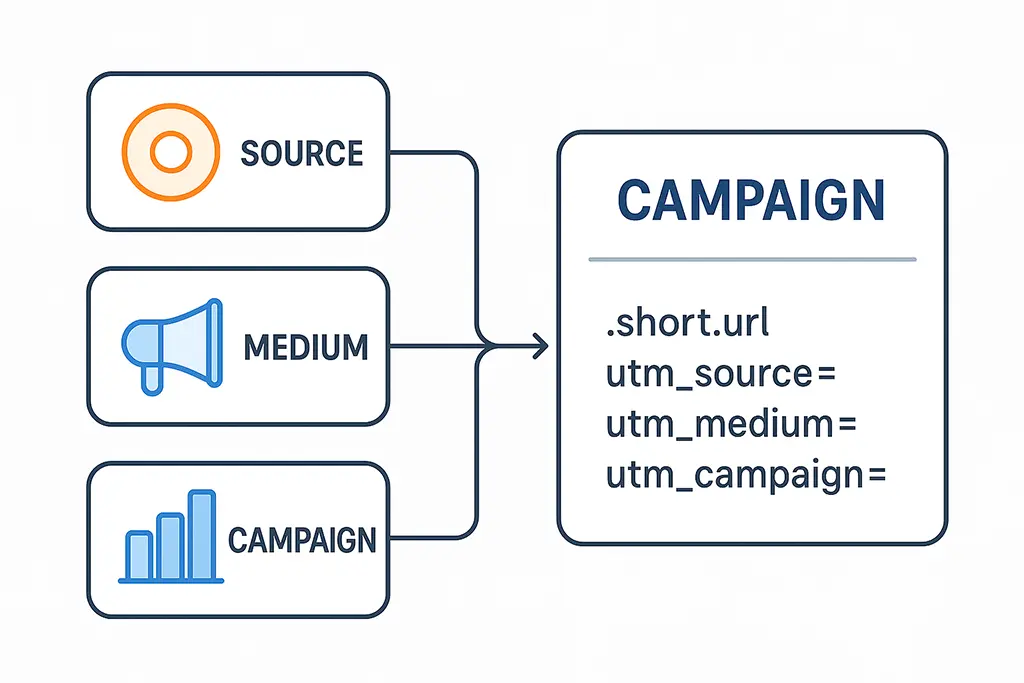
UTM Source: Who Sent the Traffic
utm_source identifies the specific origin of a click — not the channel category, not the
platform type, but the actual sender. google, newsletter_weekly, twitter,
partner-acme: all of these are sources. The distinction matters because source is the most
queried dimension in attribution reports, and inconsistent values compound over time.
The most common failure mode I have seen is treating source as a free-text field that each person on the team fills in differently. "Google," "google," "Google Ads," and "gads" look equivalent to humans but create four distinct traffic segments in GA4. By the time someone notices, months of data have been siloed incorrectly. There is no retroactive fix.
The solution is not a better tool — it is a controlled vocabulary enforced at the point of link creation. Whether you use a spreadsheet, a link builder tool, or something like vvd.im with campaign templates, the values need to come from a predefined list, not a text box with no constraints.
UTM Medium: The Traffic Mechanism, Not the Team Structure
utm_medium describes how the click happened — the delivery mechanism. Email, cpc, social,
referral, qr: these are mediums. They describe a consistent, repeatable way that traffic arrives.
The classic mistake is mapping medium to internal org structure. If your paid team tags everything
utm_medium=paid and your content team tags everything utm_medium=content,
your reports will reflect how your company is organized, not how your traffic behaves. GA4 uses medium
to apply its default channel groupings — cpc, email, organic —
so deviating from those conventions means your channel reports become meaningless unless you build
custom channel groups.
Medium should describe a traffic mechanism that exists independently of who manages it. Think like a browser, not like an org chart.
UTM Campaign: Intent with a Timestamp
utm_campaign connects traffic to a specific initiative. Product launches, seasonal promotions,
onboarding sequences, A/B experiments — campaign is where you attach context that explains why this
link was created at all.
The practical rule I follow: campaign names should be self-explanatory six months later, when nobody
involved remembers the context. summer_sale_2026 works. promo_v3_final2 does not.
Future you is always a stakeholder in every campaign you name.
Beyond the Basics: Content and Term Parameters
UTM Content: Use It to Answer a Question, Not to Fill a Field
utm_content exists to differentiate links that share the same source, medium, and campaign —
primarily for creative testing or placement comparisons. The trap is treating it as a required field
that must always have a value. When every link gets a unique content parameter, reports become unreadable
and the signal disappears into noise.
Use content parameters when you have a specific question to answer: does the banner ad outperform the inline text link? Does the top CTA get more clicks than the bottom one? If there is no question, the parameter should not exist.
UTM Term: Beyond Paid Keywords
Originally designed for paid search keyword tracking, utm_term has evolved into a general
slot for targeting metadata. Audience segments, match types, experiment IDs, geographic variants —
all of these can live in term if they do not fit naturally elsewhere.
The constraint I apply: if you cannot explain what the term value means to a new team member in one sentence without referring to internal documentation, it probably does not belong in a public URL.
How Redirects Interact With UTM Parameters
This is where theory diverges from production reality. UTM parameters survive only as long as the full URL is preserved through every redirect hop. A single misconfigured step can strip them without generating any error — no 500, no warning in logs, just missing attribution data.
The mechanism is straightforward: a 301 or 302 redirect instructs the browser to navigate to a new URL. If the redirect destination does not include the original query string, those parameters are gone. Nginx, for example, will silently drop query parameters if the rewrite rule does not explicitly pass them:
# This drops query parameters including UTM tags
rewrite ^/s/([a-zA-Z0-9]+)$ /redirect/$1 last;

# This preserves them
rewrite ^/s/([a-zA-Z0-9]+)$ /redirect/$1?$query_string last;

# Better: use a dedicated location block with proxy_pass or return
location ~* ^/s/([a-zA-Z0-9]+)$ {
    # Let the application handle the redirect — it can append UTMs explicitly
    proxy_pass http://app_backend;
    proxy_set_header X-Original-URI $request_uri;
}
In vvd.im, we handle this at the application layer rather than in Nginx config, because it gives us more control over how UTM parameters are merged when both the short link and the destination URL carry tags. The Spring Boot redirect handler looks roughly like this:
@GetMapping("/{code}")
public ResponseEntity redirect(
        @PathVariable String code,
        HttpServletRequest request) {

    ShortLink link = linkService.resolve(code);
    String destination = link.getDestinationUrl();

    // Merge UTMs from the short link's stored params with any passed at click time
    String queryString = request.getQueryString();
    if (queryString != null && !queryString.isBlank()) {
        destination = UrlUtils.mergeQueryParams(destination, queryString);
    }

    HttpHeaders headers = new HttpHeaders();
    headers.setLocation(URI.create(destination));

    // Use 302 for trackable links — 301s get cached by browsers,
    // which breaks analytics for links you later update
    return ResponseEntity.status(HttpStatus.FOUND).headers(headers).build();
}
The choice between 301 and 302 matters more than most documentation admits. A 301 response gets cached by browsers, which means subsequent clicks skip your redirect server entirely — and skip your click analytics along with it. For any link where measurement matters, 302 is the right default.
Why UTM Data Breaks in Social Apps
Social platforms do not behave like browsers. They wrap links in in-app webviews, prefetch URLs for link previews, rewrite destination URLs through their own tracking systems, and sometimes strip parameters they consider extraneous. The result is that a perfectly tagged link can arrive at GA4 with no source, no medium, and no campaign — not because you made a mistake, but because the platform decided your metadata was optional.
LinkedIn, in particular, wraps external links through its own redirect service (lnkd.in),
which can modify the final URL seen by the destination server. Instagram does not allow clickable
links in posts, which pushes traffic through bio link tools that introduce another redirect layer.
Facebook's in-app browser has a well-documented history of stripping query parameters in specific
configurations.
If your UTM strategy assumes a clean browser request from click to landing page, your data will look better than reality — which is the most dangerous kind of inaccurate. Inflated Direct traffic and misattributed conversions are both symptoms of this assumption failing in production.
This is one of the real reasons that controlling your own redirect infrastructure matters. vvd.im cannot control what LinkedIn or Instagram do after they receive a request. But by owning the first redirect hop, we can log the click server-side before any platform has a chance to interfere. Server-side click data is immune to in-app browser behavior, ad blockers, and browser privacy restrictions — which makes it a useful sanity check against GA4 numbers.
A Practical Naming Convention
Naming conventions are not exciting, but they are the only thing standing between coherent reports and a spreadsheet of normalizations you have to run before every stakeholder meeting. The pattern I use and recommend is: lowercase, hyphenated for readability, ISO date suffix for time-bounded campaigns.
# Standard campaign link format
?utm_source=newsletter&utm_medium=email&utm_campaign=onboarding_2026-q1
&utm_content=cta_primary

# Paid search variant
?utm_source=google&utm_medium=cpc&utm_campaign=brand_2026-q1
&utm_term=url-shortener

# Partner referral
?utm_source=partner-acme&utm_medium=referral&utm_campaign=integration_launch_2026-03
Document the allowed values for source and medium in a shared location — a Notion page, a wiki entry, a config file in your link management tool. The exact format does not matter. What matters is that the list exists and everyone creating links consults it.
GA4's Event-First Architecture and What It Means for Attribution
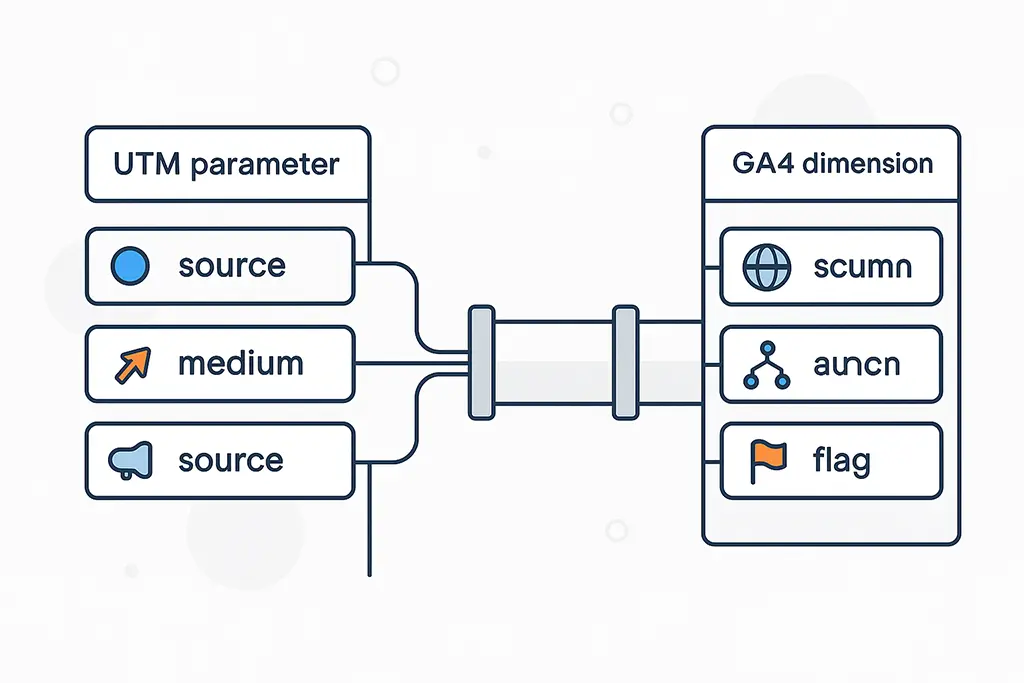
GA4's shift from session-based to event-based measurement changed attribution mechanics in ways that catch teams off guard. In Universal Analytics, traffic source was attributed to the session. In GA4, source attribution happens at the session level but is evaluated per event — which means the timing and sequence of how sessions are established becomes critical.
Specifically: GA4 evaluates UTM parameters at session start. If a redirect chain, an app handoff, or a browser behavior causes GA4 to interpret the final navigation as a new session — without UTM parameters in the URL it actually processes — the original attribution is lost. GA4 does not infer. It records what it sees. And if it sees no UTM parameters, the event is attributed to Direct.
This is the mechanism behind the "Direct traffic spike" pattern. It is rarely genuine direct traffic. It is broken attribution: GA4 saw a session start without UTM context because something upstream stripped the parameters before the final pageview fired. The actual source could be any of your tagged campaigns — you just cannot tell anymore.
Redirect Chains and Session Resets
Redirect chains are usually discussed as an SEO or performance problem. The attribution impact is equally serious and less frequently measured. Each redirect hop is a potential session boundary from GA4's perspective, particularly when hops cross domain boundaries or involve significant latency that pushes the navigation past GA4's session timeout thresholds.
A flow like: ad click → short link → tracking pixel redirect → destination page involves three distinct HTTP transactions before the user sees content. Each one is an opportunity for the chain to break. Browsers may handle the chain as a single navigation, or they may not — depending on the status codes used, the domains involved, and the presence of JavaScript redirects in the mix.
JavaScript redirects (window.location.href, meta-refresh tags) are particularly
dangerous for attribution because they interrupt the browser's native navigation flow, which is
what GA4's session detection relies on. If a page fires JavaScript to redirect before GA4's
tracking snippet initializes, the session starts at the redirect destination with no UTM context.
The operational principle: minimize hops and use HTTP-level redirects (301/302) rather than JavaScript redirects wherever possible. For link shortening, that means your redirect server should return the final destination URL directly rather than bouncing through intermediate pages.
Short Links as a Measurement Control Layer
Short links are often positioned as a convenience feature — shorter URLs, cleaner appearance in social posts. That framing undersells their actual value in an attribution stack.
A dedicated short domain like vvd.im functions as a measurement control layer: a known, instrumented point in the redirect chain where you have full visibility and control. You decide which HTTP status codes are returned. You decide how query parameters are handled. You log the click server-side before the browser does anything. You control the redirect latency.
None of that prevents social platforms from mangling URLs after your redirect. But it means you have a reliable click count to compare against GA4 session counts — and when those numbers diverge significantly, you know attribution is breaking somewhere downstream rather than at the source.
The Redis-based click logging we use gives us sub-millisecond write latency for individual clicks, with MariaDB as the durable store for aggregated analytics. The architecture is simple:
// Click logging in the redirect handler
@Service
public class ClickLoggingService {

    private final RedisTemplate redis;
    private final ClickRepository clickRepository;

    public void logClick(String linkCode, HttpServletRequest request) {
        String clickKey = "click:" + linkCode + ":" + Instant.now().toEpochMilli();

        Map clickData = Map.of(
            "referer", Optional.ofNullable(request.getHeader("Referer")).orElse(""),
            "ua", Optional.ofNullable(request.getHeader("User-Agent")).orElse(""),
            "ip", getClientIp(request),
            "ts", Instant.now().toString()
        );

        // Fast write to Redis — processed asynchronously to MariaDB
        redis.opsForHash().putAll(clickKey, clickData);
        redis.expire(clickKey, Duration.ofHours(24));

        // Async flush to durable storage
        clickRepository.incrementClickCount(linkCode);
    }
}
Validation Checklist Before Launch
Before any tagged campaign link goes live, I run through this sequence manually. Automation catches syntax errors; only end-to-end testing catches attribution failures.
- Click the link in each channel where it will actually be shared — not in a browser dev tool, but in the real app. Twitter's in-app browser, LinkedIn's in-app browser, and a desktop Gmail client can all behave differently.
- Verify UTM parameters appear in the GA4 DebugView under the correct session source/medium. If they show as Direct, something in the redirect chain is stripping them.
- Check that source and medium values match your taxonomy exactly — case-sensitive, no trailing spaces.
- Confirm redirect status codes using
curl -Ior a network inspector. Unexpected 301s on links you plan to update are a problem. - Compare server-side click counts against GA4 session counts after a small test push. A gap larger than 15-20% usually indicates attribution loss, not measurement noise.
Designing UTMs for the Messy Web, Not the Clean Diagram
Every UTM tutorial shows you a clean diagram: link → GA4 → beautiful report. The actual path is link → short redirect → social platform rewrite → in-app browser → maybe a prerender → GA4 → something close to a report. Each step between the click and the analytics platform is a place where parameters can degrade.
Sustainable UTM strategies are not clever. They are resilient. Fewer parameters beat more parameters because there is less to lose. Clear naming beats creative naming because reports need to be read by people who were not in the room when the links were created. Consistency beats completeness because gaps in clean data are honest; noise in messy data is not.
UTMs should survive redirects as a design requirement, not as an afterthought. If a parameter cannot survive a real-world click through the environments your audience actually uses, it has no business being in your tracking taxonomy.
Conclusion: Attribution Is a System Problem
UTM parameters look like a simple string problem. Append five query parameters, read them in GA4, done. The actual problem is a system problem: redirects, app containers, browsers, analytics platforms, and your own infrastructure all participate in whether attribution succeeds or fails. Ignore any one layer and your data will mislead you politely.
The goal is not perfect data — that does not exist in web analytics. The goal is data you can trust enough to make decisions with confidence. That means designing for failure modes rather than ideal conditions, validating end-to-end rather than just checking URL syntax, and maintaining the discipline to keep naming conventions stable even when the pressure to move fast pushes against it.
When attribution works, it disappears into the background and lets you focus on what the numbers mean. When it breaks, it does not crash — it just quietly tells the wrong story, and you find out weeks later in a meeting where nobody can agree on which number is real.