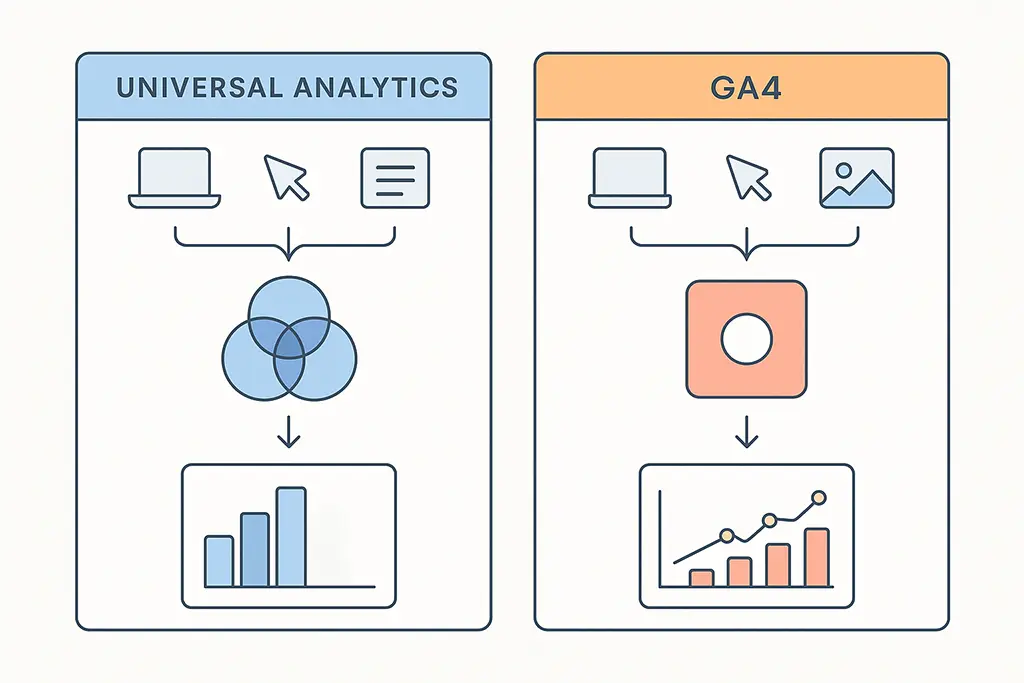
Universal Analytics vs GA4 for Link Campaigns: What Actually Changes in Practice
Most comparisons of Universal Analytics and GA4 read like release notes — a feature list with polite acknowledgment that "things are different now." That framing misses the point entirely if you're running campaigns that depend on short URLs, redirect chains, and UTM-based attribution. The differences between UA and GA4 aren't cosmetic. They determine whether your attribution data reflects reality or a comforting approximation of it.
This article focuses specifically on what changes for link-based campaigns — short URLs, redirect infrastructure, UTM handling, and cross-platform traffic. If your measurement stack touches any of those, what follows is directly relevant to how you interpret and act on GA4 data.
Why Teams Are Still Getting This Wrong Post-Migration
UA was sunset in July 2023. Teams have had over a year to migrate, yet many are still misreading GA4 data because they're applying UA mental models to a fundamentally different system. The most common mistake: treating GA4's Direct traffic spike as a tracking bug when it's actually accurate data surfacing attribution gaps that UA quietly absorbed.
The questions that signal this confusion tend to sound like: "Why do we have more clicks in the short URL dashboard than sessions in GA4?" or "Where did all our email campaign traffic go?" Understanding why those discrepancies happen requires understanding how the two systems interpret the same redirect event differently.
The Core Model Difference: Sessions vs Events
How UA Constructed Reality
UA was session-centric. A user arrives, a session opens, and subsequent actions are grouped under that session container. UTM parameters were evaluated at session start and then essentially locked in. This meant UA was surprisingly tolerant of imperfect redirect setups — if the UTM survived the redirect and the page loaded before the session clock ran out, attribution usually worked.
The downside of that tolerance is that UA was also quietly wrong in ways that were hard to detect. A redirect chain that stripped referrer data mid-journey might still produce a session with correct attribution simply because UA interpolated from what it received first.
How GA4 Actually Works
GA4 is event-first. Sessions are constructed retroactively by grouping events, not by opening a container when a user arrives. Attribution is evaluated per-event, not per-session-start. This is architecturally more correct, but it has a direct consequence for redirect-heavy infrastructure: every hop in the chain is a potential attribution break, and GA4 won't fill in missing context the way UA did.
When the first page_view event fires in GA4 without a UTM parameter attached, that event gets attributed to whatever referrer or channel GA4 can infer — which is often Direct. There's no retroactive correction when the UTM shows up later.
UTM Handling: Same Parameters, Different Timing
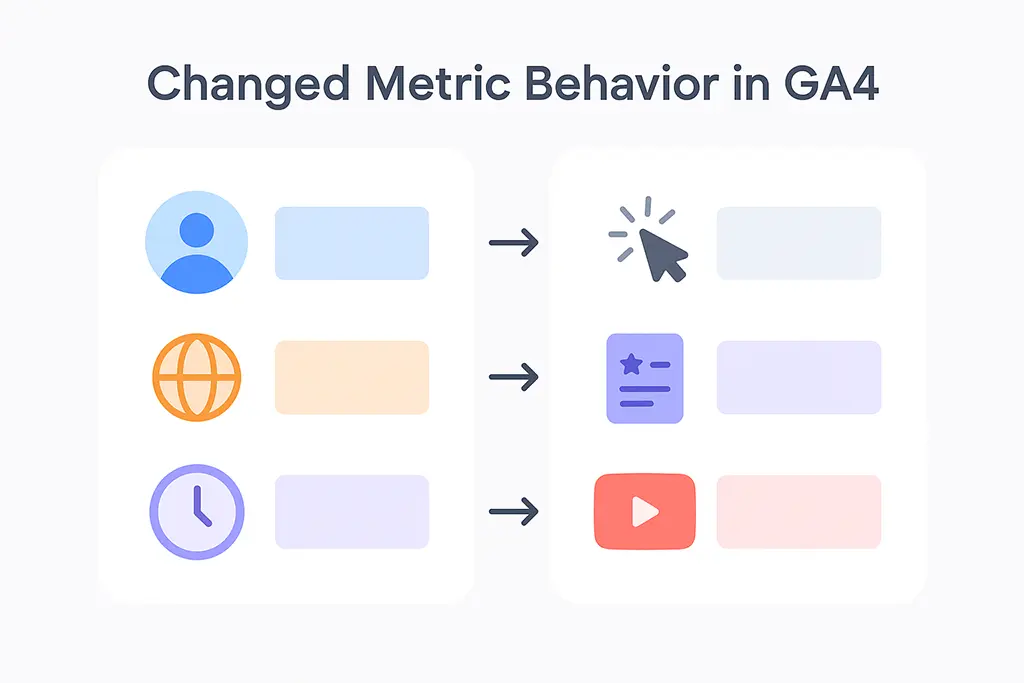
The UTM parameter set is identical between UA and GA4 — utm_source, utm_medium, utm_campaign, and the rest. What changed is when attribution is resolved.
UA's Session-Level UTM Attribution
In UA, UTMs were evaluated once at session start. If your short URL preserved the UTM through the redirect and delivered it to the landing page, UA credited the campaign correctly. Redirect speed mattered, but within reasonable bounds UA was forgiving. A 301 chain with two or three hops rarely caused attribution failures in UA — the session model absorbed the latency.
GA4's Event-Level UTM Attribution
GA4 evaluates attribution at the event level. The practical implication: if your redirect infrastructure delivers the landing page before the UTM parameters are present in the URL (because of how some redirect implementations work), GA4 records that first event without UTM context. The subsequent events in the session may have UTMs, but the session's campaign attribution has already been set.
This is the root cause of the common post-migration symptom where email or social campaigns appear under Direct in GA4. The UTMs weren't lost — they arrived after GA4 had already attributed the first event. A few specific scenarios cause this reliably:
- Redirect implementations that use JavaScript-based forwarding, where the page partially loads before the final URL with UTMs resolves.
- Link preview generation by messaging apps (Slack, Teams, WhatsApp) that follow the redirect chain and strip UTMs before the actual user click happens.
- Security proxies in corporate environments that cache the destination URL, sometimes without query parameters.
In a Spring Boot redirect handler, for example, a subtle difference in how you structure the redirect response can affect whether GA4 picks up the UTMs:
// This approach passes UTMs cleanly through server-side 301
@GetMapping("/{code}")
public ResponseEntity<Void> redirect(@PathVariable String code, HttpServletRequest request) {
    String destination = urlService.resolve(code);
    // Preserve query string including UTMs from the original short URL
    String queryString = request.getQueryString();
    String finalUrl = queryString != null ? destination + "?" + queryString : destination;

    return ResponseEntity.status(HttpStatus.MOVED_PERMANENTLY)
        .header("Location", finalUrl)
        .header("Cache-Control", "no-store")  // Prevent proxy caching that strips params
        .build();
}

// Add Cache-Control: no-store to prevent CDN/proxy layers from caching
// the redirect response without query parameters
The Cache-Control: no-store header is not obvious but matters in environments where CDN or reverse proxy layers might cache the 301 response and serve the cached version (without query parameters) to subsequent requests.
Redirect Chain Tolerance
UA's Generous Interpretation
UA could absorb multi-hop redirect chains without attribution failure as long as the final destination loaded and the session timer didn't expire. A typical chain — short URL → HTTPS enforcement → country routing → final landing page — might add 200–400ms of latency but rarely broke UA attribution. UA prioritised completing the session picture over precision.
GA4's Stricter Signal Requirements
GA4 needs clean signals at the point where the first meaningful event fires. Each additional redirect hop adds latency and increases the probability of signal loss. The specific failure modes:
- Referrer stripping at HTTPS-to-HTTP boundaries (rarely an issue now, but still relevant with mixed-protocol CDN setups).
- UTM parameters being dropped by intermediate redirect servers that don't forward query strings.
- The first
page_viewevent firing against the intermediate redirect page rather than the destination (relevant if any hop in the chain serves a full HTML page, even briefly).
A practical audit for your redirect infrastructure:
# Check redirect chain and verify UTM preservation at each hop
curl -v -L "https://vvd.im/your-short-code?utm_source=email&utm_medium=newsletter&utm_campaign=q1-promo" 2>&1 | grep -E "^(> |< |Location:)"

# Expected output: each Location header should either pass through
# or not appear (final destination reached)
# Any intermediate Location without query params = attribution risk
In an Nginx configuration, if you're handling redirects at the web server level, query string preservation requires explicit configuration:
# nginx.conf - ensure query strings pass through redirect rules
location ~* ^/r/(.+)$ {
    # Wrong: this drops query string
    return 301 https://destination.com/page;

    # Correct: preserve query string including UTMs
    return 301 https://destination.com/page?$query_string;
}

# For short URL service proxying to backend
location ~* ^/([a-zA-Z0-9]+)$ {
    proxy_pass http://127.0.0.1:8080;
    proxy_set_header X-Forwarded-For $remote_addr;
    # Preserve the original query string
    proxy_pass_request_headers on;
}
Attribution Models: Last-Click vs Data-Driven
UA's Last-Click Default
UA defaulted to last-click attribution. For short-link campaigns, this was usually adequate — the click on the short URL was typically the last touchpoint before conversion, so last-click credit made intuitive sense. The model was simple, sometimes misleading for multi-touch journeys, but at least consistently wrong in predictable ways.
GA4's Data-Driven Attribution and Its Dependencies
GA4's default is data-driven attribution (DDA), which uses machine learning to distribute credit across touchpoints based on patterns in your conversion data. This is theoretically superior, but it has a dependency that catches teams off guard: DDA requires sufficient conversion volume to train the model. Google's threshold is approximately 400 conversions and 4,000 ad interactions within 30 days per conversion event.
Below that threshold, GA4 falls back to last-click — which means many smaller campaigns running through short URLs are getting last-click attribution in GA4 anyway, just without being told explicitly. When DDA does engage, it requires clean, consistent signals to distribute credit correctly. Short links with inconsistent UTMs or broken redirect chains introduce noise that degrades the model's accuracy.
Cross-Platform Traffic: The One Area Where GA4 Genuinely Wins
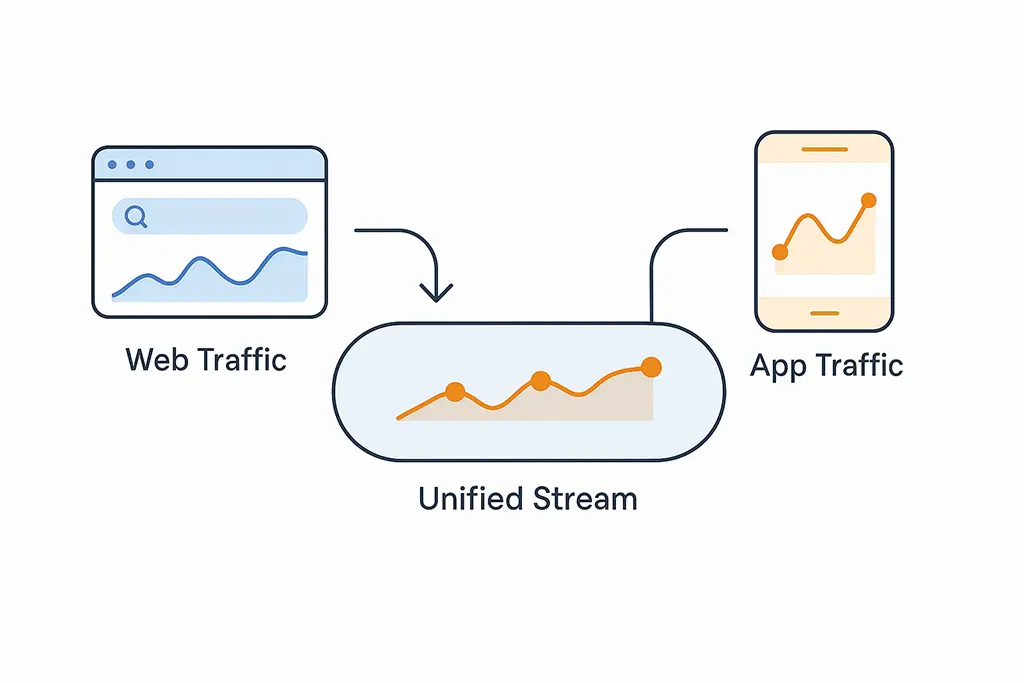
UA's cross-platform measurement was an afterthought — Universal Analytics was fundamentally a web analytics tool that added app properties separately, with no native way to unify user journeys across web and app. GA4 was designed from the start for cross-platform measurement, and this difference is significant for short-link campaigns that drive traffic to both web and app destinations.
If your short URLs route to different destinations based on device type (mobile deep link vs web URL), GA4 can track those as part of the same campaign and user journey in a way UA structurally couldn't. The prerequisite is that your short URL service correctly sets the campaign parameters for both the web redirect and the app deep link — they need to carry matching UTM values, and your app needs to forward those to GA4 via the Firebase SDK.
For a Spring Boot short URL service handling device-based routing, the UTM parameters need to be applied at the routing decision point:
@GetMapping("/{code}")
public ResponseEntity<Void> smartRedirect(
        @PathVariable String code,
        @RequestHeader(value = "User-Agent", defaultValue = "") String userAgent,
        HttpServletRequest request) {

    ShortUrl shortUrl = urlService.resolve(code);
    String utmParams = extractUtmParams(request);  // preserve original UTMs

    boolean isMobile = userAgentParser.isMobile(userAgent);
    boolean hasApp = shortUrl.hasAppDeepLink();

    String destination;
    if (isMobile && hasApp) {
        // Deep link with UTM parameters passed as custom params
        destination = shortUrl.getAppDeepLink() + "&" + utmParams;
    } else {
        destination = shortUrl.getWebUrl() + "?" + utmParams;
    }

    return ResponseEntity.status(HttpStatus.FOUND)
        .header("Location", destination)
        .header("Cache-Control", "no-store")
        .build();
}
Running a Parallel Report to Quantify the Differences
Before making any decisions based on GA4 data for campaigns that ran in both UA and GA4 simultaneously, run a structured comparison. The goal is not to reconcile the numbers but to understand the delta and what it represents.
- Export UA campaign data for a 2-week window when both systems were active (July 2023 was the last viable window for most teams).
- Pull the equivalent GA4 data for the same period, using the same date range and campaign filters.
- Calculate the Direct traffic percentage in each system. A GA4 Direct% that's 15–30 percentage points higher than UA is a strong signal of UTM attribution loss, not a channel shift.
- Check session-to-user ratios. GA4 counts sessions differently (a new session starts at midnight, for example, while UA would continue the previous session), so session counts will always be higher in GA4 for the same user activity.
- Compare conversion rates, not raw conversion counts. GA4 and UA often count conversions differently depending on how goals were configured vs GA4 events.
What GA4 Actually Reveals About Your Link Infrastructure
The jump in Direct traffic that teams see after migrating to GA4 is not a GA4 problem. It's GA4 accurately surfacing attribution that UA was quietly assigning to campaigns based on incomplete information. UA's tolerance made campaigns look better than they were. GA4's precision makes your infrastructure problems visible.
If GA4 shows a higher Direct% for your short-link campaigns compared to UA, the diagnostic path is:
- Audit redirect chain length — every hop is a potential signal loss point.
- Verify that query strings (including UTMs) are explicitly forwarded at every redirect layer, including Nginx, application server, and any CDN rules.
- Check whether any intermediate redirect pages serve HTML (even briefly) — GA4 may fire a
page_viewagainst that page rather than the final destination. - Test with messaging apps specifically — Slack, Teams, and WhatsApp all follow redirect chains when generating link previews, and some strip query parameters in the process.
- Implement cross-domain measurement if your short URL domain differs from your landing page domain — without it, GA4 treats the handoff as a new session.
The Infrastructure Conclusion
The fundamental takeaway for teams running short-link campaigns: UA measured the campaign you wanted to have run. GA4 measures the campaign that actually ran. The difference is your redirect infrastructure's reliability and UTM discipline.
GA4 is more honest about attribution gaps, which means it's more useful for diagnosing and fixing them. The teams that get the most value from GA4 are the ones who use the Direct traffic increase as a diagnostic signal rather than treating it as a data quality problem. Your GA4 Direct% is a measurement of how much UTM context your redirect chain is losing. That's actionable information. UA never gave you that.