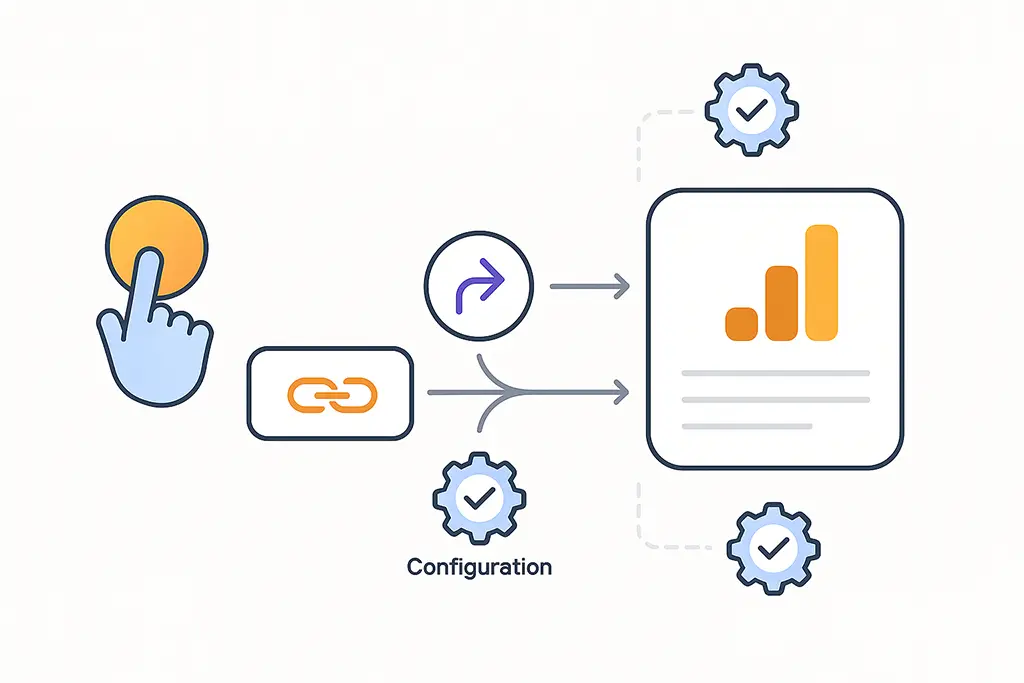
Why GA4 Setup Matters for Short Link Campaigns
There is a specific kind of GA4 report that looks plausible but is entirely wrong: Direct traffic at 40%, campaign sources underreporting by half, conversion counts that do not match server logs. The links worked. The redirects fired. But GA4 never received the attribution context it needed, so it filled in the blanks with Direct and moved on.
Short link campaigns are particularly vulnerable to this failure mode. The redirect layer between click and landing page introduces exactly the kind of domain hop, referrer discontinuity, and timing gap that causes GA4's session attribution to collapse. Getting GA4 right for short links is not about GA4 configuration in isolation — it is about understanding how redirects, browser behavior, and GA4's event model interact, and designing around the failure points deliberately.
This guide covers GA4 configuration for short link campaigns specifically — not generic analytics setup. We will go through the redirect mechanics that break attribution, the GA4 configuration decisions that prevent it, and the validation workflow that catches problems before campaigns go live rather than after.
How GA4 Actually Sees Short Link Traffic
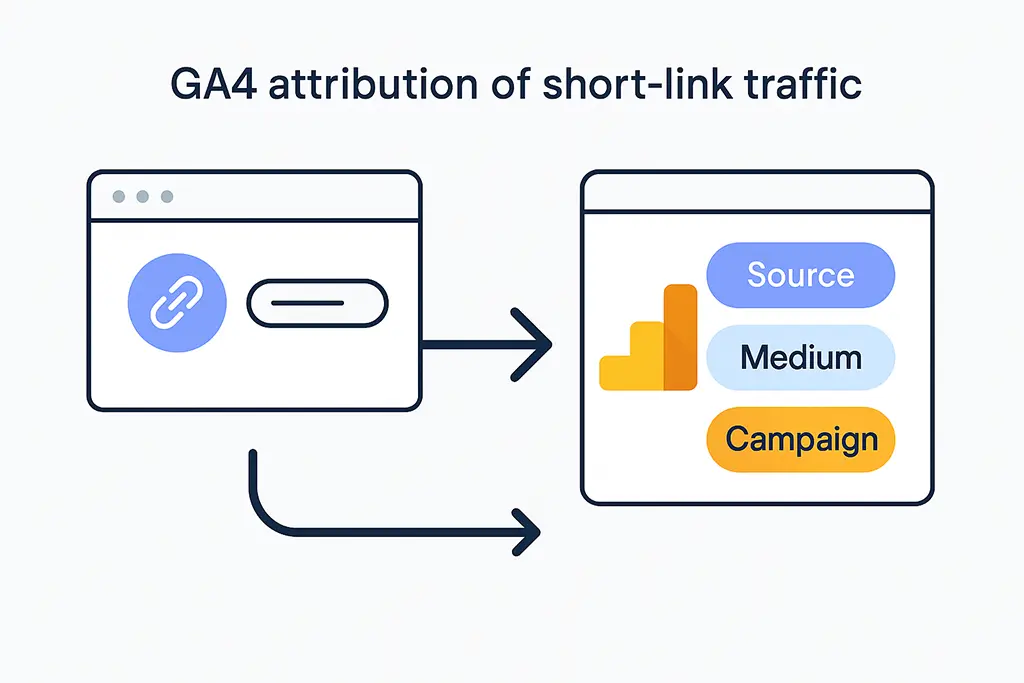
GA4 is event-based, not session-based in the Universal Analytics sense. Every pageview, interaction,
and conversion is an independent event with parameters attached. Source, medium, and campaign are
evaluated at session start — specifically at the first session_start event — and then
associated with all subsequent events in that session.
For short links, this means attribution is determined at a specific moment: when the user lands on the destination page and GA4's tracking snippet fires for the first time in that session. Everything that happened before that moment — the click, the redirect, the referrer header — either made it into the URL GA4 sees, or it did not. GA4 has no access to the redirect chain. It cannot reconstruct what happened upstream. It reads the current URL, checks for UTM parameters, checks the Referer header, and makes its attribution decision based on what is present at that instant.
If UTM parameters survived the redirect chain and appear in the landing page URL, GA4 reads them directly and attributes the session correctly. If they were stripped somewhere in the chain, GA4 falls back to the Referer header. If the Referer was also stripped — which is common across HTTPS-to-HTTPS redirects through third-party domains — GA4 has nothing to work with and assigns the session to Direct. No error. No warning. Just missing attribution.
The Direct Traffic Misattribution Pattern
A reliable indicator of attribution failure in short link campaigns is a Direct traffic spike that correlates with campaign launch timing. The traffic volume is real — you can see the clicks in your redirect server logs — but the source attribution in GA4 shows Direct instead of the expected campaign source.
This happens through a specific sequence: the short link is clicked, the redirect fires but strips the query string, the landing page loads without UTM parameters in the URL, the Referer header shows the short domain rather than the original source, and GA4 cannot map the short domain to a known traffic source. GA4 is not malfunctioning here — it is correctly reporting that it received a session with no attributable source. The problem is in the redirect configuration, not in GA4.
Before adjusting GA4 settings, verify that the redirect is actually passing UTM parameters through to the destination URL. This is the most common root cause and the easiest to fix:
# Verify that your short link redirect preserves the full query string
curl -sI "https://vvd.im/abc?utm_source=newsletter&utm_medium=email&utm_campaign=q1-launch" \
  | grep -i "location"

# The Location header must include the UTM parameters:
# Location: https://example.com/landing?utm_source=newsletter&utm_medium=email&utm_campaign=q1-launch

# If Location shows only the base URL without query params, fix the redirect first
# Location: https://example.com/landing   ← This will break attribution
Preparing GA4 Before Launching Short Link Campaigns
GA4 configuration for short link campaigns needs to happen before links go live, not after. Attribution data cannot be recovered retroactively — if GA4 assigned sessions to Direct during the first week of a campaign, those sessions stay as Direct in historical reports regardless of what you fix afterward.
Verify the Tracking Tag Is Firing on the Final Landing Page
The most basic failure mode is GA4 not firing at all on the destination page. Confirm this before
anything else. Open the destination URL directly in a browser, open GA4's real-time report, and
verify that a page_view event appears. If it does not, the issue is in the tag
deployment — likely a consent management platform blocking the tag, a missing gtag snippet, or
a Content Security Policy rejecting the GA4 script.
For sites using Google Tag Manager, also confirm that the GA4 tag triggers on the landing page specifically. If the landing page URL pattern does not match the trigger rule, the tag will not fire even if GTM itself is loading correctly.
Configure Cross-Domain Measurement for Multi-Domain Redirects
When short links redirect across different domains — from vvd.im to
example.com, for instance — GA4 treats this as two separate users by default.
The client ID that GA4 uses to identify a user session is stored in a cookie scoped to a specific
domain. Crossing a domain boundary creates a new client ID, which breaks the session and can
cause conversions to appear without a corresponding session source.
Cross-domain measurement in GA4 is configured in Admin → Data Streams → your web stream →
Configure tag settings → Configure your domains. Add every domain in the redirect chain that
matters for attribution. GA4 handles the rest by appending a temporary linking parameter
(_gl) to cross-domain links, which allows the receiving domain to pick up the
original client ID.
For short link redirects specifically, the short domain itself does not need to run a GA4 tag —
it just needs to pass the _gl parameter if it is present in the original request URL.
In the vvd.im redirect handler, this works automatically because the redirect passes the full
query string including any GA4 linking parameters:
// In the Spring Boot redirect handler, preserve ALL query parameters including _gl
@GetMapping("/{code}")
public ResponseEntity redirect(
        @PathVariable String code,
        HttpServletRequest request) {

    ShortLink link = linkService.resolve(code);
    String destination = link.getDestinationUrl();
    String incomingQuery = request.getQueryString();

    if (incomingQuery != null && !incomingQuery.isBlank()) {
        // Preserve utm_* AND _gl parameters — both are required for attribution
        boolean hasExistingQuery = destination.contains("?");
        destination = destination + (hasExistingQuery ? "&" : "?") + incomingQuery;
    }

    return ResponseEntity.status(HttpStatus.FOUND)
            .location(URI.create(destination))
            .cacheControl(CacheControl.noStore()) // Prevent browser caching of redirect
            .build();
}
Check Consent and Tag Loading Order
Consent management platforms (CMPs) are a common source of hidden attribution failures. If the
CMP blocks GA4 from loading until after the user interacts with the consent banner, the first
page_view event fires after consent is granted — which may be on a different page
than the landing page. When that happens, GA4 misses the UTM parameters from the original URL
and the session gets misattributed.
The most reliable fix is to implement consent mode rather than blocking the GA4 tag entirely. With consent mode enabled, GA4 fires in a limited state (no cookies, no personal data) before consent, allowing it to capture the attribution context from the URL. When the user consents, GA4 transitions to full measurement mode with the attribution already correctly recorded.
Designing Short Links That Work With GA4
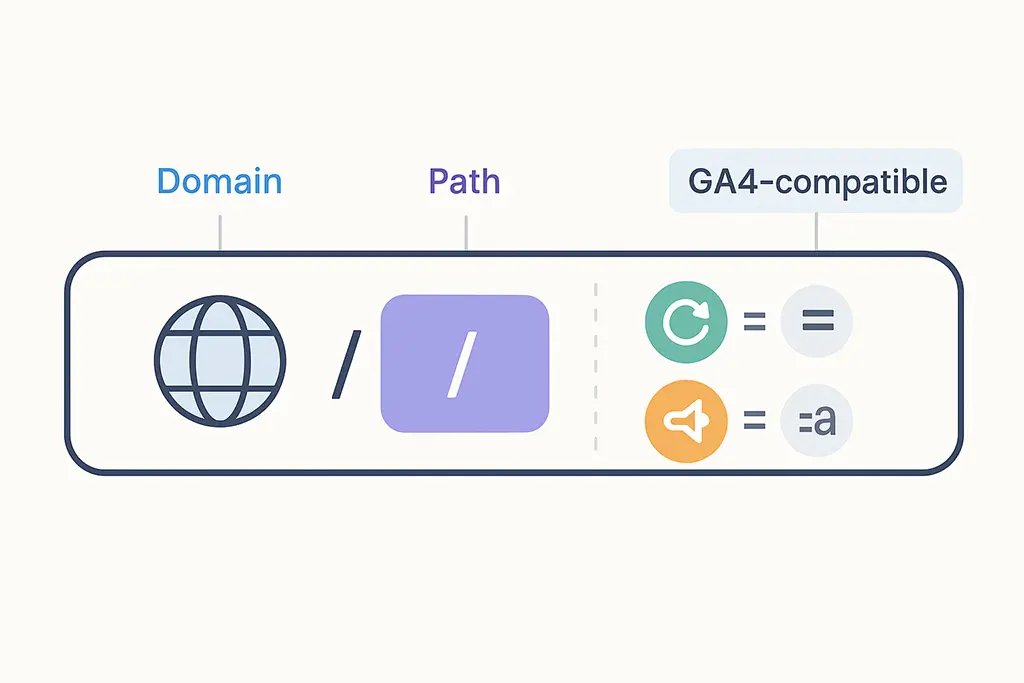
301 vs 302: Which Redirect Type Breaks Attribution More Often
The redirect status code matters more for analytics than most documentation acknowledges. 301 (permanent) redirects are cached by browsers — sometimes aggressively. Once a browser has cached a 301 redirect, subsequent clicks on that short link bypass your redirect server entirely and navigate directly from the browser cache to the destination. This means your server-side click logging misses those visits, and if the cached redirect was created before UTM parameters were configured, the user arrives at the destination without any campaign context.
302 (temporary) redirects are not cached, so every click hits your redirect server. For any short link associated with a campaign — where you need click data, may update the destination, and need UTM parameters to be evaluated fresh on each click — 302 is the correct choice. The performance difference is negligible. The analytics difference is significant.
UTM Parameters That GA4 Actually Reads
GA4 reads five standard UTM parameters. Of these, utm_source, utm_medium,
and utm_campaign are required for meaningful attribution reporting.
utm_content and utm_term are optional but useful for creative testing
and targeting analysis respectively.
GA4 is case-sensitive in how it stores UTM values but case-insensitive in some of its default channel grouping rules. However, relying on the latter is risky because custom channel groupings are case-sensitive, and inconsistent capitalization will create separate line items in acquisition reports. Standardize on lowercase, use hyphens for word separation, and document the allowed values for source and medium before anyone creates links:
# Consistent UTM format for short link campaigns
?utm_source=newsletter&utm_medium=email&utm_campaign=q1-launch-2026&utm_content=hero-cta

# GA4 channel grouping depends on utm_medium matching expected values:
# "email" → Email channel
# "cpc" → Paid Search channel
# "social" or platform names → Organic Social channel
# Anything else → Unassigned (not useful for reporting)
One operational detail worth implementing: store UTM values at link creation time in your short link database rather than only in the URL. This allows you to query which UTM configurations were used across campaigns without relying on GA4 exports, and gives you a reference to validate against when GA4 attribution looks wrong:
// MariaDB schema for storing UTM metadata with short links
CREATE TABLE short_links (
    id          BIGINT AUTO_INCREMENT PRIMARY KEY,
    code        VARCHAR(20) NOT NULL UNIQUE,
    destination VARCHAR(2048) NOT NULL,
    utm_source  VARCHAR(100),
    utm_medium  VARCHAR(100),
    utm_campaign VARCHAR(200),
    utm_content VARCHAR(200),
    utm_term    VARCHAR(200),
    redirect_type SMALLINT NOT NULL DEFAULT 302,
    created_at  DATETIME(3) NOT NULL DEFAULT CURRENT_TIMESTAMP(3),
    INDEX idx_campaign (utm_campaign),
    INDEX idx_source_medium (utm_source, utm_medium)
) ENGINE=InnoDB DEFAULT CHARSET=utf8mb4;
Tracking Conversions from Short Link Campaigns
Defining Events That Actually Map to Business Outcomes
GA4's conversion configuration is flexible enough to mark almost any event as a conversion,
which creates a risk of over-counting. For short link campaigns, the relevant conversions are
typically those that occur downstream from the landing page: form submissions, purchases,
account registrations, or specific engagement thresholds. Marking the page_view
event itself as a conversion defeats the purpose — you are just counting link clicks that
a different tool (your redirect server) already measures more accurately.
Define conversions that represent outcomes you would actually make decisions based on. If a campaign drives 1,000 clicks but zero form submissions, that is a meaningful signal. If it drives 1,000 clicks and GA4 records 1,000 conversions because you marked the landing page view as a conversion, you have just created a metric that makes every campaign look successful.
Validating Attribution End-to-End
Before any campaign goes live, run through this validation sequence in GA4 DebugView. It takes under five minutes and catches the most common attribution failures before they corrupt live data:
- Open the short link URL with UTM parameters appended in an incognito window. Incognito prevents cached sessions from interfering with the test. The URL should look like:
https://vvd.im/abc?utm_source=newsletter&utm_medium=email&utm_campaign=q1-launch - In GA4, open Realtime → DebugView. Confirm a
page_viewevent appears within a few seconds. Check that the event parameters includesession_traffic_source_detailwith the expected source and medium values. If it shows(direct)instead, the UTM parameters did not reach the landing page. - If the source is wrong, check the browser's address bar on the landing page. If the URL is missing the UTM parameters, the redirect stripped them — fix the redirect configuration. If the URL includes the UTMs but GA4 still shows Direct, the tracking tag may be firing before the URL is fully parsed, or a CMP is blocking initialization.
- Trigger the conversion event on the landing page (submit the form, click the CTA, complete the purchase) and verify that the conversion appears in DebugView attributed to the correct campaign source.
# Automated pre-launch validation using curl (run before every campaign)
#!/bin/bash
SHORT_URL="https://vvd.im/abc"
UTM_PARAMS="utm_source=newsletter&utm_medium=email&utm_campaign=q1-launch"
FULL_URL="${SHORT_URL}?${UTM_PARAMS}"

echo "Testing redirect chain for: $FULL_URL"
LOCATION=$(curl -sI "$FULL_URL" | grep -i "^location:" | tr -d '\r' | sed 's/location: //i')

echo "Redirect destination: $LOCATION"

if echo "$LOCATION" | grep -q "utm_source=newsletter"; then
    echo "✓ UTM parameters preserved in redirect"
else
    echo "✗ UTM parameters missing from redirect — fix before launch"
    exit 1
fi
Common GA4 Failures in Short Link Campaigns
Most GA4 attribution failures in short link campaigns fall into four categories. Knowing which one you are dealing with determines the fix.
Redirect stripping UTM parameters produces Direct traffic in GA4 while click logs show expected volume. The fix is always in the redirect configuration — verify with curl that the Location header includes the full query string.
Cross-domain session breaks produce inflated new user counts and conversions
that appear without an attributed source. The fix is cross-domain measurement configuration
in GA4 and ensuring the redirect passes the _gl parameter when present.
Consent-delayed tag firing produces correct source attribution for users who consent on the landing page, but Direct attribution for users who navigate to a second page before consenting. The fix is consent mode implementation, not blocking the tag.
In-app browser referrer stripping produces Direct traffic specifically from social campaigns where users click links inside Facebook, Instagram, LinkedIn, or TikTok apps. UTM parameters in the URL will survive this if the redirect passes them through. Referrer-based attribution will not. The fix is ensuring every social link has explicit UTM parameters — relying on the referrer header alone is not viable in in-app browser environments.
Using Server-Side Click Data to Validate GA4 Attribution
GA4 reports alone are not sufficient to diagnose attribution failures — you need a second data source to compare against. Server-side click counts from the redirect layer provide this. The comparison is straightforward: if your redirect server logged 5,000 clicks on a campaign link over a week, but GA4 shows 3,000 sessions from that campaign source, approximately 2,000 sessions were misattributed — likely to Direct.
A discrepancy of 10-15% is expected: bots, link previews in messaging apps, and users who immediately close the page will inflate click counts relative to GA4 sessions. A discrepancy above 25-30% consistently indicates an attribution failure worth investigating.
In the vvd.im infrastructure, Redis stores real-time click counts per link with sub-millisecond write latency, flushed to MariaDB periodically for long-term reporting. Comparing the MariaDB click count against the GA4 session count for the same link and time window is the fastest way to identify campaigns where attribution is silently failing:
-- Query to compare server-side clicks vs GA4 sessions by campaign
-- (GA4 data imported via BigQuery export)
SELECT
    sl.utm_campaign,
    sl.utm_source,
    sl.utm_medium,
    SUM(c.click_count) AS server_side_clicks,
    SUM(ga.sessions)   AS ga4_sessions,
    ROUND(
        (1 - SUM(ga.sessions) / NULLIF(SUM(c.click_count), 0)) * 100, 1
    ) AS attribution_loss_pct
FROM short_links sl
JOIN click_counts c ON c.link_id = sl.id
JOIN ga4_sessions ga ON ga.campaign = sl.utm_campaign
    AND ga.date BETWEEN c.date_start AND c.date_end
WHERE sl.created_at >= '2026-01-01'
GROUP BY sl.utm_campaign, sl.utm_source, sl.utm_medium
HAVING attribution_loss_pct > 15
ORDER BY attribution_loss_pct DESC;
Making GA4 Work With Short Links, Not Against Them
GA4 is not inherently hostile to short link attribution. The challenges are real but they are all fixable — and they are all detectable before they silently distort campaign performance data for weeks. The prerequisite is understanding what GA4 can and cannot see at the moment of session start, and designing the redirect and tag configuration around those constraints.
Every decision that reduces friction in the attribution chain — using 302 instead of 301, keeping redirects to a single hop, verifying UTM pass-through before launch, configuring cross-domain measurement for multi-domain flows, implementing consent mode instead of tag blocking — makes GA4 data more trustworthy and marketing decisions better informed.
The alternative is campaigns that look like they underperformed because the attribution infrastructure was configured after the fact rather than before. Analytics instrumented at launch is not a perfectionist habit — it is the only way to have data you can actually use when it matters.